[CMprint] Download and installation of Version 2
CMprint Update (v2.0.0)
This article provides a step-by-step guide to installing the CMprint update via a USB drive, including all necessary steps and precautions.
Important
Do not remove the USB drive during the update
Do not turn off the power
Do not rename the files
What you need
A blank (empty) USB drive
The 2 update files:
- update.usbCartadis
- CMPrint_v2.0.0.tar.gz
The CMprint device
Copy to the USB drive
Plug the USB drive into your computer
Open it
Verify that it is empty
Copy only these 2 files:
- update.usbCartadis
- CMPrint_v2.0.0.tar.gz
They must be visible directly (not inside a folder)
Perform the update
Plug the USB drive into the CMprint
Turn the key (physical key) to enter Administration mode
On the screen, tap “Maintenance”
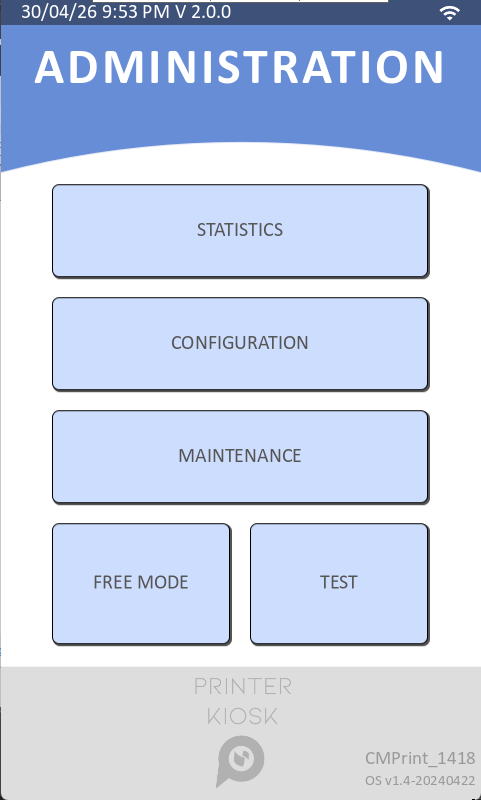
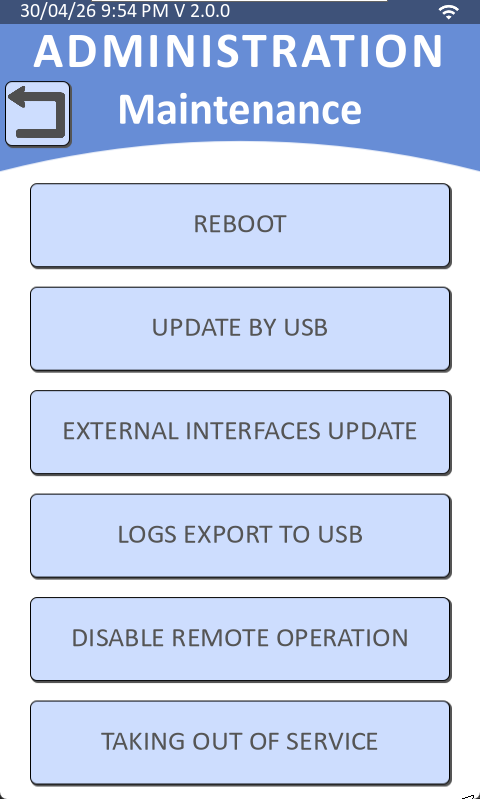
Tap “UPDATE BY USB”
The update is starting
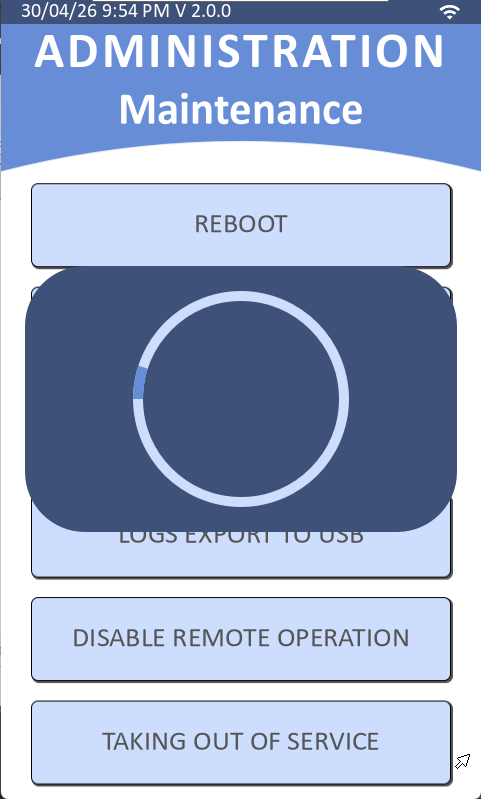
Wait for the CMprint to restart automatically
Check
After the restart, switch back to Administration mode
Look at the top of the screen
Verify that the displayed version is: v2.0.0

Was this article helpful?
That’s Great!
Thank you for your feedback
Sorry! We couldn't be helpful
Thank you for your feedback
Feedback sent
We appreciate your effort and will try to fix the article